 NEURAL APPS

A product team is reviewing ideas for the next mobile release: a smarter CRM companion, a lightweight PDF editor, a utility for device migration, maybe another productivity tool aimed at iPhone 14 and iPhone 14 Pro users. The list looks promising, but the real question is simpler: which app category actually solves a persistent user problem well enough to earn a place on someone’s phone? The short answer is that the best app category is the one tied to a frequent, frustrating task with a clear outcome, low learning curve, and visible value within minutes of use.
The groups below describe user problems, rather than a universal store taxonomy. Apple explains its App Store categories; Google explains Play categories and tags. These labels support discovery and do not establish which app is best for a particular workflow.
From my experience building AI-powered mobile solutions, category selection matters more than feature count. Users rarely keep software because it sounds innovative. They keep it because it saves time, reduces friction, or helps them complete a task they already care about. That is the standard I use when comparing app categories.
Why do app categories matter more than individual features?
An app category is the broader job an application is trying to do. Document tools help people edit, convert, sign, and share files. CRM apps help teams track customer relationships and follow-ups. Device utilities help with migration, storage, cleanup, or performance visibility. Creative tools help users produce content. Health, finance, and education apps each solve different types of recurring needs.
Features matter, of course, but category fit comes first. A weak product in a strong category can still find traction if it focuses on one painful task. A polished product in a weak category often struggles because the need is too occasional or too vague. That is one reason we think carefully about recurring behavior patterns at NeuralApps before investing in a development direction. A roadmap works best when it begins with repeated user friction, not abstract market excitement.
Which app categories usually address the clearest pain points?
If the goal is practical value, a few categories consistently stand out.
| Category | Core user pain point | Strengths | Risks |
|---|---|---|---|
| Document tools / PDF editor | People need to edit, sign, convert, or share files quickly on mobile | Clear utility, frequent use, easy to measure success | Crowded category, weak apps feel interchangeable |
| CRM mobile companions | Sales and service teams need fast access to customer data away from a desk | High business value, strong retention when workflows fit | Complex onboarding, poor UX kills adoption |
| Device migration and utility apps | Users switching devices want to transfer content safely and quickly | Very clear problem, high urgency at key moments | Usage can be episodic rather than daily |
| Productivity and note tools | Users want better personal organization | Large audience, broad appeal | Weak differentiation, retention is difficult |
| Creative editing apps | Users want fast content creation for work or social use | Strong engagement, visible results | Performance demands are high, expectations move fast |
Among these, document tools, mobile CRM workflows, and focused device utilities often perform best when the product scope stays disciplined. They solve concrete problems. Users do not have to be educated on why they matter.

What makes document apps such a strong category?
A good PDF editor is a useful example of a category with obvious demand. People receive forms, contracts, invoices, class materials, reports, and scanned documents every day. The pain point is not theoretical. It is immediate: “I need to change this file, sign it, merge pages, or send it right now from my phone.”
That urgency gives document software a major advantage over categories built on optional behavior. The value proposition is visible in seconds. If the app opens quickly, preserves formatting, and handles common actions without confusion, users understand the benefit immediately.
What users should prioritize in this category:
- Speed on real-world files, not just sample documents
- Reliable export quality
- Clear editing controls on smaller mobile screens
- Privacy expectations around sensitive files
- Offline access for situations where connectivity is limited
Where many document apps fail is trying to become an everything tool. In practice, users usually want five actions to work extremely well, not twenty actions buried in menus.
How does a CRM app differ from a consumer utility app?
The difference is frequency versus workflow depth. A consumer utility usually solves a narrow task for an individual user. A CRM app supports a chain of business actions: reviewing account history, logging calls, updating deal stages, checking reminders, and coordinating follow-up.
That makes CRM development harder, but also more defensible when done well. If a mobile CRM experience fits how teams actually work in the field, it becomes part of the operating routine. If it feels like a reduced desktop interface forced onto a phone, usage drops fast.
I usually recommend evaluating CRM apps with a stricter lens than most companies do. Do not ask whether the app includes everything. Ask whether a sales rep or account manager can complete the three most time-sensitive actions in under a minute. That tells you more than a long feature list.
For business users, the priorities are different from consumer categories:
- Fast record lookup
- Minimal data-entry friction
- Strong sync reliability
- Role-based clarity so each user sees what matters
- Notification logic that supports action instead of creating noise
Why are device-specific utilities still relevant for iPhone users?
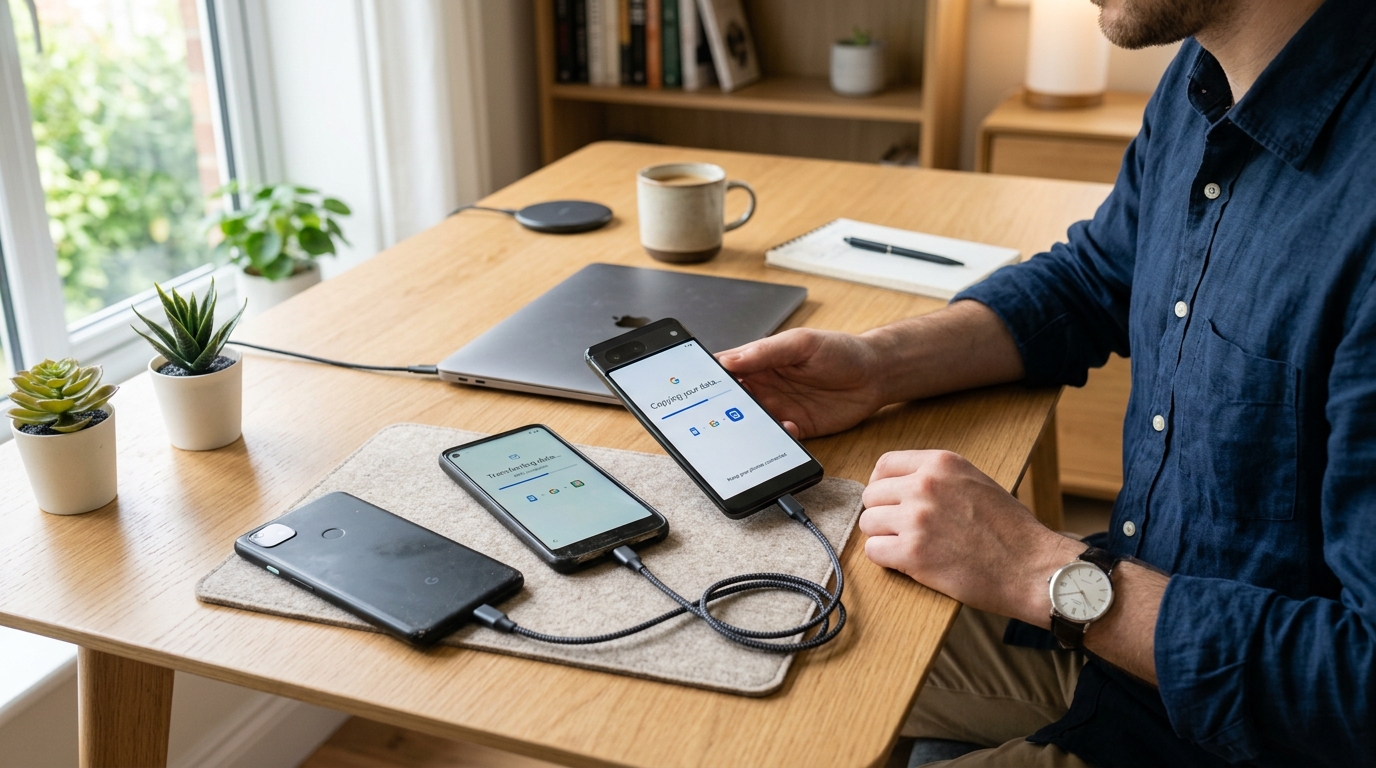
It is easy to dismiss device utilities as one-time tools, but that misses how people actually behave during phone upgrades and storage problems. When someone moves from an iPhone 11 to an iPhone 14, iPhone 14 Plus, or iPhone 14 Pro, the task is stressful because the cost of failure feels personal. Contacts, photos, videos, messages, and documents are not just files. They are memory, work, and continuity.
That is why transfer, cleanup, and organization apps remain relevant. The user does not need daily use to see the value. They need trust, clarity, and successful completion when the moment arrives.
In this category, users should prioritize:
- Transparent permissions
- Simple progress tracking
- Clear explanation of what transfers and what does not
- Recovery options if the process is interrupted
- Compatibility across older and newer devices
This is also where many so-called innovative apps overcomplicate a simple task. A transfer utility does not need novelty. It needs calm, dependable execution.
Which categories look attractive but often underperform?
Broad productivity apps are the most common example. They sound promising because the audience is large. Almost everyone wants to be more organized. But that broad appeal can hide a serious problem: the user pain point is often too vague.
If the app tries to help with notes, reminders, planning, focus, collaboration, journaling, and file storage all at once, it usually loses sharpness. Users compare it to tools they already have, and the switching cost feels higher than the benefit.
The same risk appears in “general AI-powered assistant” positioning on mobile. Unless the app is attached to a specific workflow with a concrete output, people test it once and move on. In my work, I have seen much stronger retention when intelligence supports a defined task inside a category rather than acting as the category itself.
How should users compare app categories before downloading?
A simple decision framework helps.
- How often does the problem happen? Daily and weekly problems usually deserve more attention than occasional curiosity.
- How expensive is the friction? Lost time, missed business follow-ups, failed file handling, and transfer errors are meaningful costs.
- How quickly can the app prove value? Good mobile solutions show usefulness fast.
- Does the app need deep learning? If basic use requires a tutorial, retention is at risk.
- What is the downside if it fails? Categories involving customer data, files, or device migration need stronger reliability standards.
This framework is useful for both users and a software company evaluating where to invest. It keeps attention on outcomes rather than trends.
What should different types of users prioritize?
For individual consumers: choose categories that remove immediate friction. File tools, transfer apps, scanning, storage management, and focused editing utilities usually provide more obvious value than broad “do everything” products.
For business teams: prioritize workflow integrity. CRM, field reporting, document approval, and customer communication tools matter most when they reduce delay and duplicate work.
For creators and professionals on the move: look for mobile software that compresses multi-step tasks into one session. Quick editing, annotation, conversion, upload, and sharing matter more than decorative features.
Who should be careful? Users who download apps mainly because they look innovative often accumulate clutter instead of utility. If the use case is unclear before installation, long-term value is usually weak.
What questions do users ask when comparing app verticals?
Is daily use always better than occasional use?
No. A high-stakes occasional task, like device migration or document signing, can justify an app if the risk of failure is high enough.
Are business apps harder to build well than consumer apps?
Usually, yes. They require stronger workflow design, data consistency, and role-specific clarity.
Does adding more AI make an app category stronger?
Only if it shortens a real task. Intelligence attached to an unclear workflow rarely improves retention.
What is the strongest sign that a category has product potential?
Users can describe the problem in one sentence and immediately recognize the benefit of solving it.
Where does NeuralApps fit into this category discussion?
At NeuralApps, we think of app development as applied problem solving, not category chasing. That is why our portfolio focus stays close to practical mobile solutions where value can be measured through task completion, time saved, and repeat use.
For teams assessing a new digital product, I would compare categories less by market noise and more by user urgency. The strongest categories are rarely the loudest ones. They are the ones people return to because the job still needs to be done tomorrow.
That is the real filter: not whether an app sounds modern, but whether it removes enough friction to become useful under real conditions. In software focused on mobile experiences, that difference shapes retention, reviews, and long-term product direction more than any trend cycle.
Related reading: Edge AI: when local inference fits a user task.